Track your orders and print invoices
Know where your order is and get its invoice.
Track an order
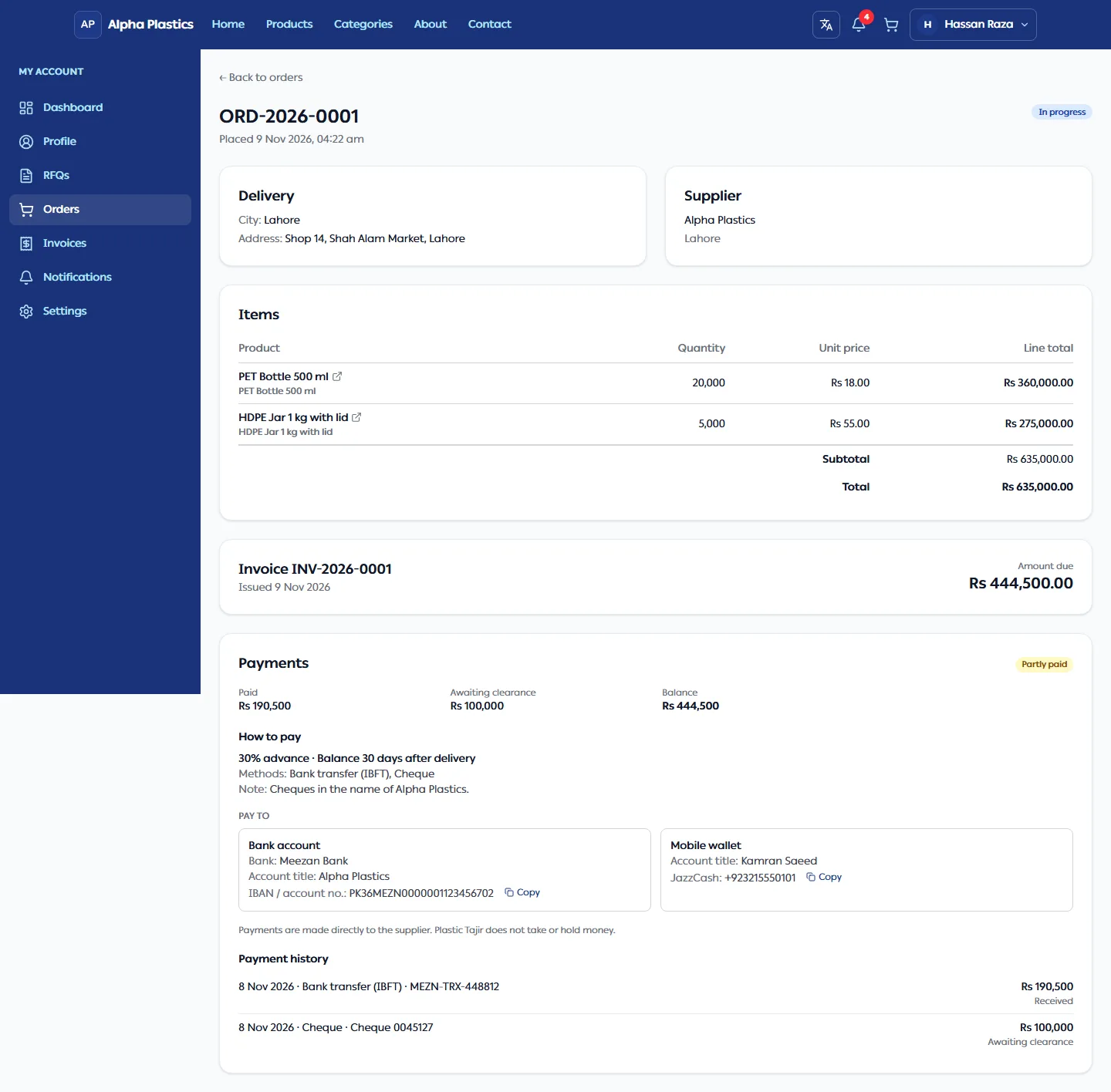
Open Orders in your account and click an order. Its status moves through:
| Status | Meaning |
|---|---|
| Pending confirmation | You accepted the quotation; waiting for the supplier to confirm. |
| Confirmed | The supplier confirmed. Your invoice is ready. |
| In progress | The supplier is preparing your order. |
| Completed | Delivered. |
| Cancelled | The supplier cancelled; the Cancellation reason is shown. |
You get a notification at every change.
Pay the supplier
You pay the supplier directly; nothing is paid online through the store. The order's Payments section shows:
- How to pay: the payment terms and the supplier's bank account, Raast ID or wallet. Click Copy next to an IBAN or number to paste it into your banking app.
- What you have paid, the balance and the date it is due.
- Payment history: each payment the supplier recorded. A cheque shows Awaiting clearance until it clears; if it bounces, the amount is due again and you are notified.
If the supplier has not added payment details, ask them in Messages.
Get a receipt for a payment
Every payment the supplier records has a numbered receipt (for example RCP-2026-0001) in the supplier's own
invoice design.
- Open the order and find Receipt RCP-… › under the payment in Payment history, or click the notification Payment recorded.
- Click Print. Choose Save as PDF in the print dialog for a PDF copy.
| What the receipt says | What it means for you |
|---|---|
| No mark | The supplier received the money. |
| Subject to clearance | A cheque or pay order was handed over. It counts as paid only once it clears; the receipt then shows Cleared on the date. |
| Cancelled | The cheque bounced. The receipt is no longer proof of payment and the amount is due again. |
| Void | The supplier removed the payment, usually because it was entered by mistake. The payment stays in your history, struck through, with the supplier's reason, and you are notified. A void receipt is no longer proof of payment. |
The amounts on a receipt never change after it is issued. If a receipt looks wrong, ask the supplier in Messages.
Get the invoice
- Open Invoices in your account. Orders that are confirmed, in progress or completed are listed.
- Open one to see the invoice and click Print. Choose Save as PDF in the print dialog for a PDF copy.
Amounts are in PKR. The invoice also shows the payment terms, where to pay and what is paid to date.
When a store is temporarily unavailable
If a store is suspended, its pages show "This store is temporarily unavailable." You can't browse, add to the cart or send an RFQ. Your account still works: click Sign in to view your orders and you can read your orders, invoices, RFQs and quotations as before (you can't accept or answer a quotation until the store is back).