Store customers
Register and login to a store
An account on the store so you can send requests for quotation (RFQs) and track orders.
Last reviewed 9 November 2026
Before you start
- An email address you can open — you login with it.
- A Pakistani mobile number with WhatsApp, typed as
03XXXXXXXXX. - The store's web address, for example
…/store/ahmed-plastics. Each store has its own accounts: if you buy from two stores, you register on each one.
Create your account
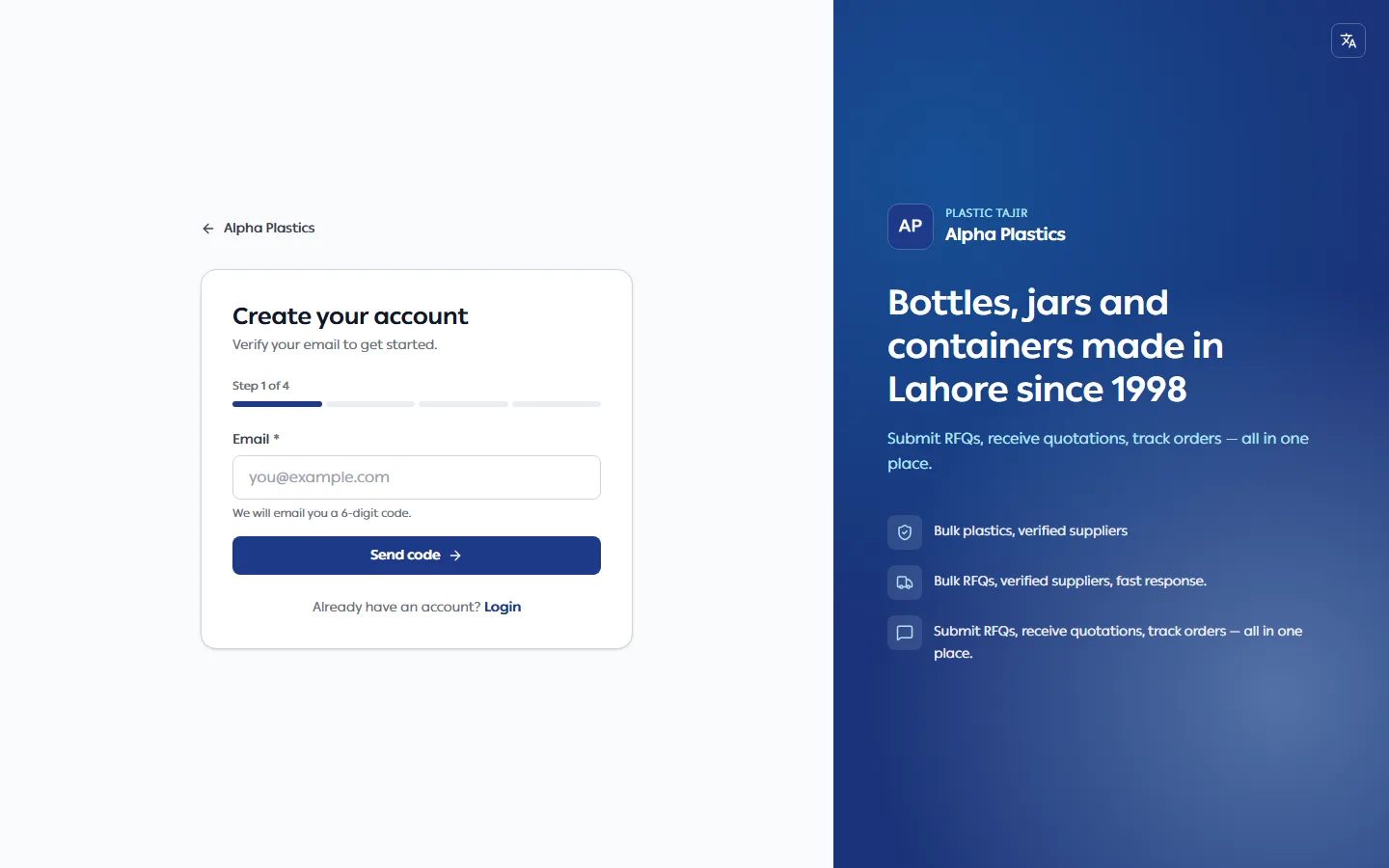
- On the store, click Register (top right), or Register on the login page.
- Email — enter your email address and click Send code. We email you a 6-digit code.
- Verify — type the 6 digits and click Verify. No email? Check spam, then click Resend code after a minute.
- Details — enter your Full name, WhatsApp number (required), City (not listed? choose Other and type it in City name) and a Password, then Confirm password (click the eye icon to see what you typed). Your WhatsApp number is not verified yet; some stores ask you to verify it before you request a quote.
- Submit. You are logged in and taken to your account.
The bar under the title shows how far you are (Step 1 of 4). You are not asked for a company name here — add it on your Profile later, or at your first checkout.
Login later
- Click Login on the store.
- Enter your Email and Password, then click Login.
If you were trying to open a page that needs an account (for example your cart), you are taken back to it after logging in.
Forgot your password
On the login page click Forgot password?, enter your email, enter the 6-digit code we email you, then choose a new password.
Troubleshooting
| Problem | What to do |
|---|---|
| "This email is already registered for this store. Login instead." | Click Login. Use Forgot password? if needed. |
| "Invalid email or password" | Check the email and password. Remember accounts are per store. |
| The code email does not arrive | Check spam, wait a minute and click Resend code. A code works for 10 minutes and 5 tries. |
| Not logged in when opening another store | Normal — each store has its own account; login (or register) on that store. You stay logged in on your first store. |