Review a quotation and place an order
Accept the supplier's price as an order, ask for a better one, or decline it.
Steps
-
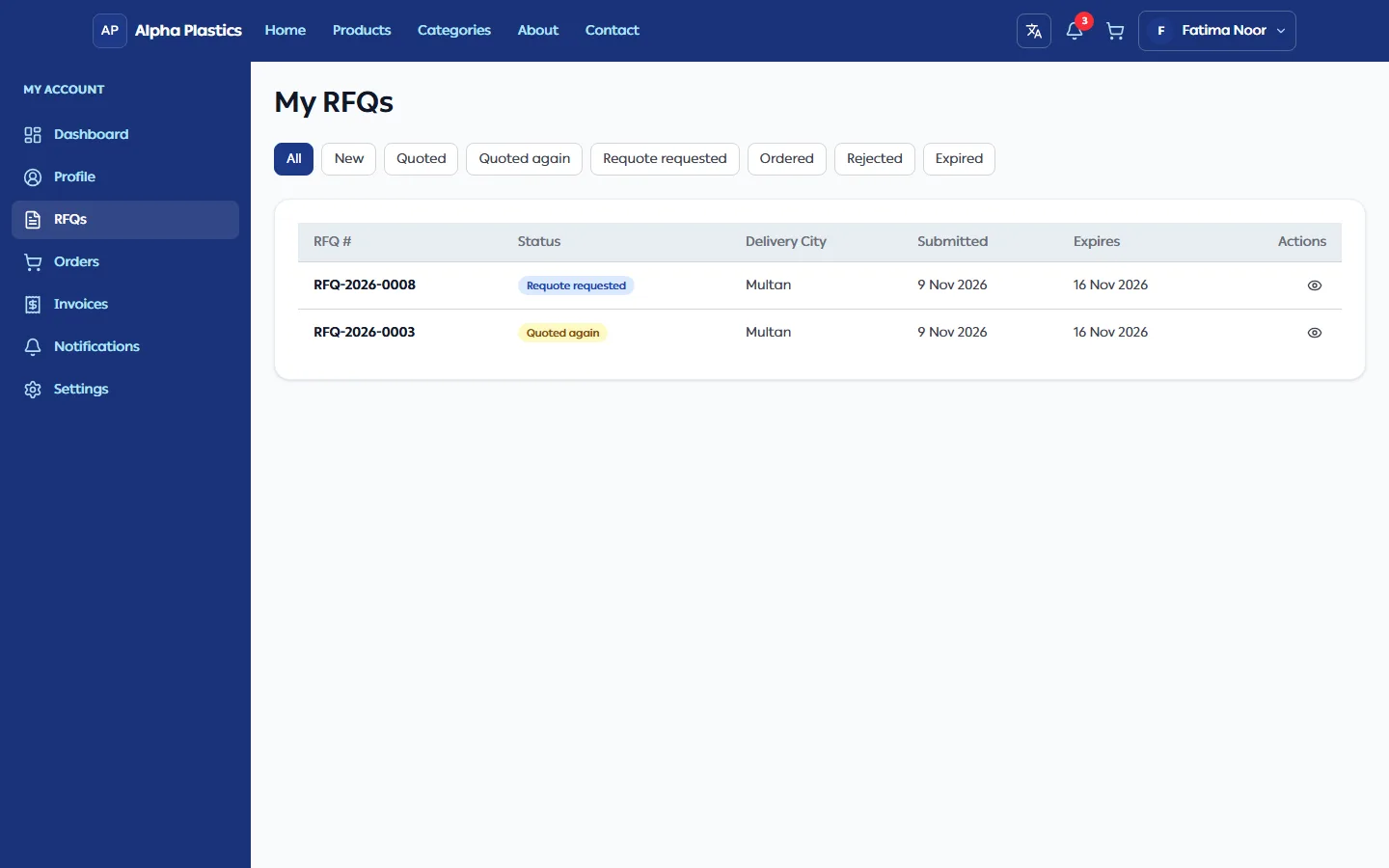
Open RFQs in your account (or click the Quotation submitted notification). Use the tabs to filter: New, Quoted, Quoted again, Requote requested, Ordered, Rejected, Expired. Quoted again means the supplier sent a new quotation after you rejected one or asked for a requote.
-
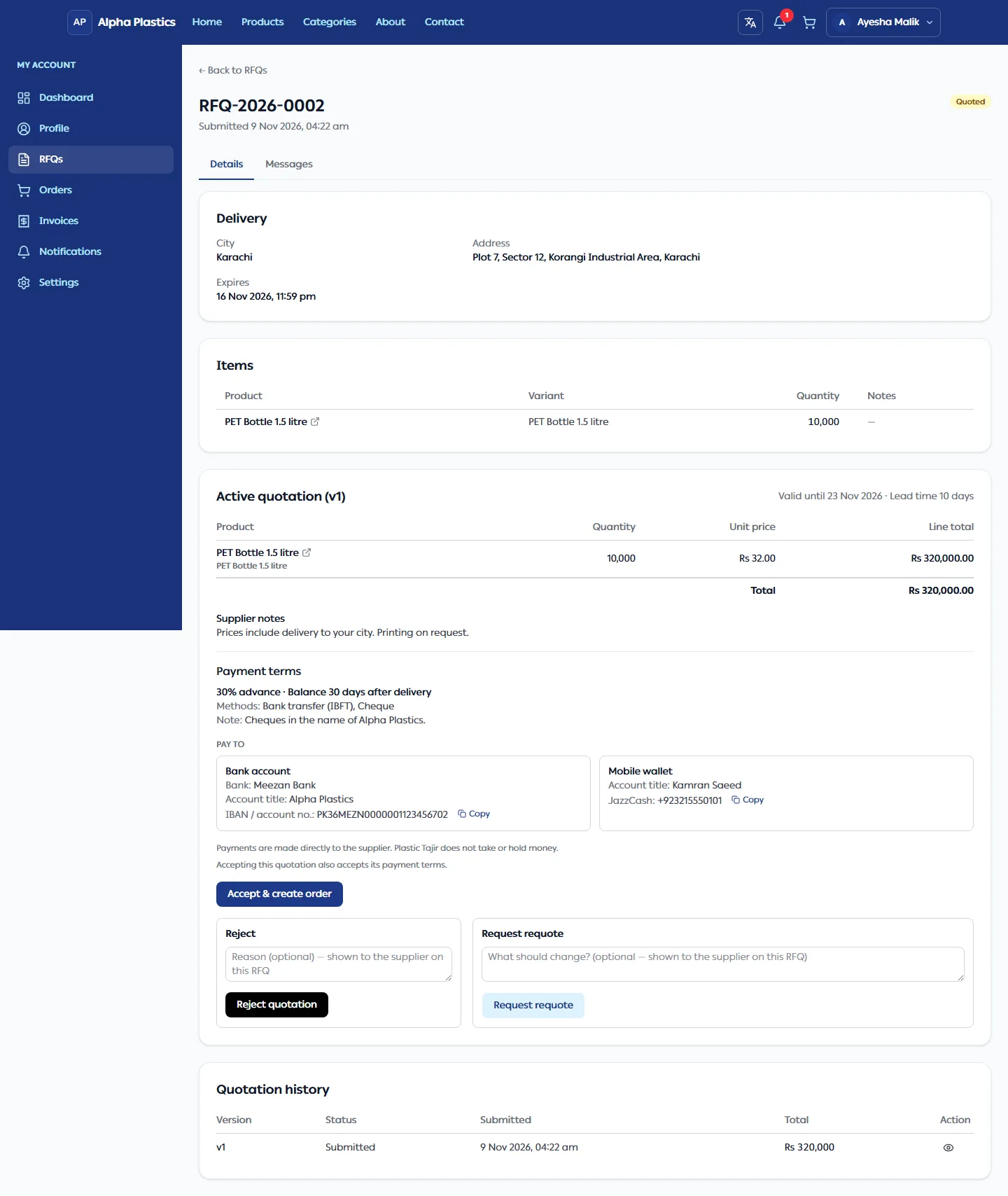
Open the RFQ. The active quotation shows the unit price and line total for each item, the total, how long it is valid, the lead time and the supplier's notes. If the supplier added Payment terms (for example "30% advance · Balance 30 days after delivery"), they are shown with the accounts to pay into. Accepting the quotation also accepts its payment terms. Earlier versions are under Quotation history. Click a product name (on the RFQ, a quotation or an order) to open its store page in a new tab.
-
Choose:
You want to… Do this Result Buy at this price Click Accept & create order, then Yes, create order An order is created and opens. The supplier confirms it next. Ask for a different price or terms Optionally fill in What should change? and click Request requote The supplier sends a new version. Until then the old version shows Requote requested in the history. Decline Optionally add a reason under Reject, click Reject quotation, then Yes, reject This can't be undone; the supplier may still send a new version. A reason you type for Reject or Request requote is saved with that quotation version. You see it under Your response on the RFQ, next to the version in Quotation history and when you click View on it; the supplier sees it on their RFQ page under Customer's response. It is not posted under Messages.
Message the supplier
Use the Messages tab on the RFQ to ask questions or send files (up to 3 per message, 10 MB each: JPEG, PNG, WebP or PDF). The conversation stays open until the order is completed.
Troubleshooting
| Problem | What to do |
|---|---|
| "Your RFQ is being reviewed by the supplier. Quotation coming soon." | No quotation yet. You will be notified. |
| "No active quotation." | You rejected or asked for a requote; wait for the new version. |
| Accepting shows an error | The quotation has passed its Valid until date, or the RFQ has expired. Ask for a requote, or send a new RFQ. |